CAD for people who design products.
Ruffle3D does parametric solid modelling and free-form NURBS surfacing in one application. It also renders, makes engineering drawings and exports to STEP. It runs on your own computer, and it's free for everyone, including commercial work.

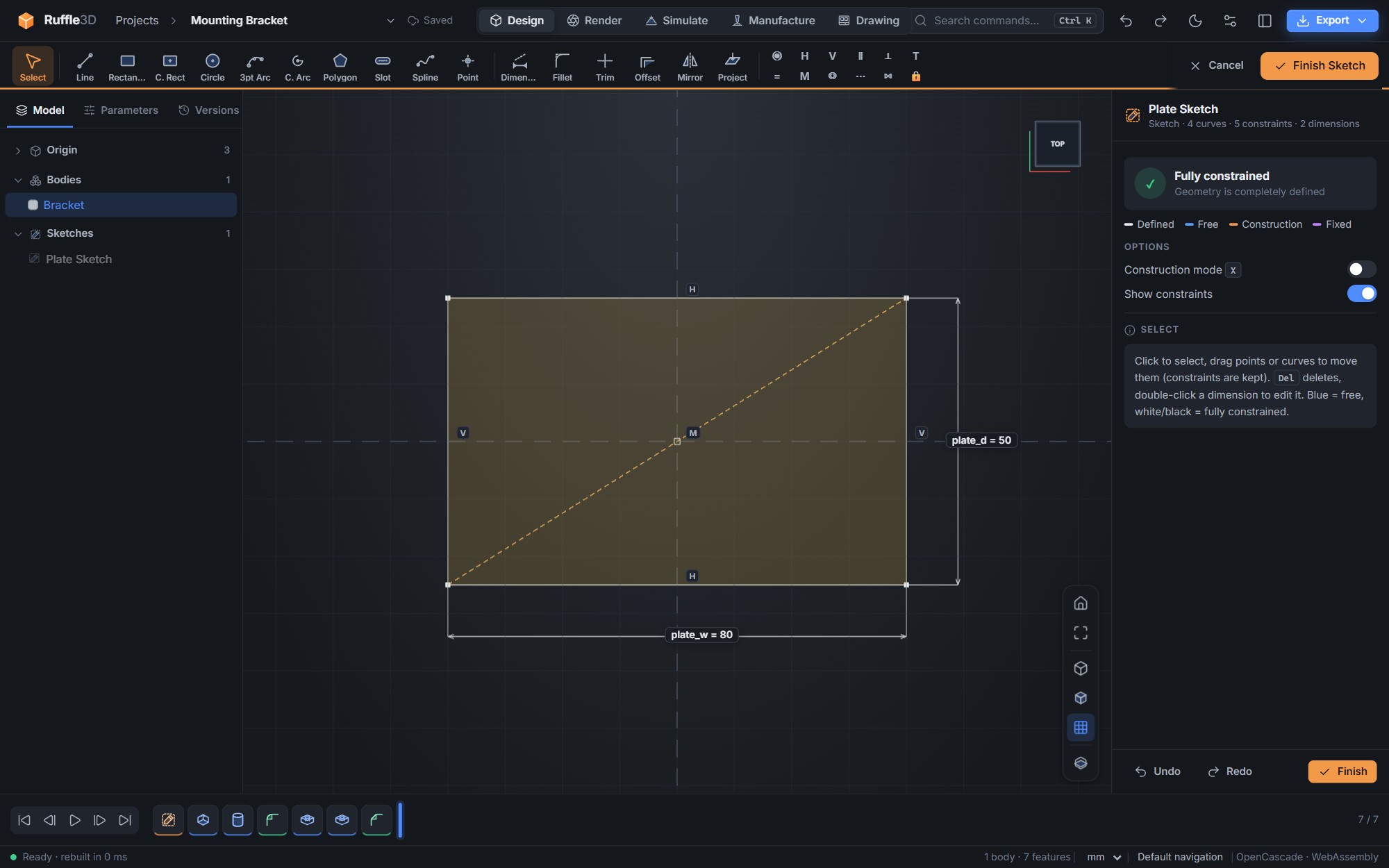
Change a dimension and the whole part follows.
Each part is a history of features driven by named parameters. Change the plate width in the parameter table, and the sketch, holes, fillets and everything after them rebuild. Only the features that changed are recomputed, so edits stay quick.
- Constraint-based sketches with live degree-of-freedom feedback
- Extrude, revolve, sweep, loft, shell, draft, holes, patterns and threads
- Fillets, chamfers, Booleans and press-pull on any solid
Surfaces you can actually shape.
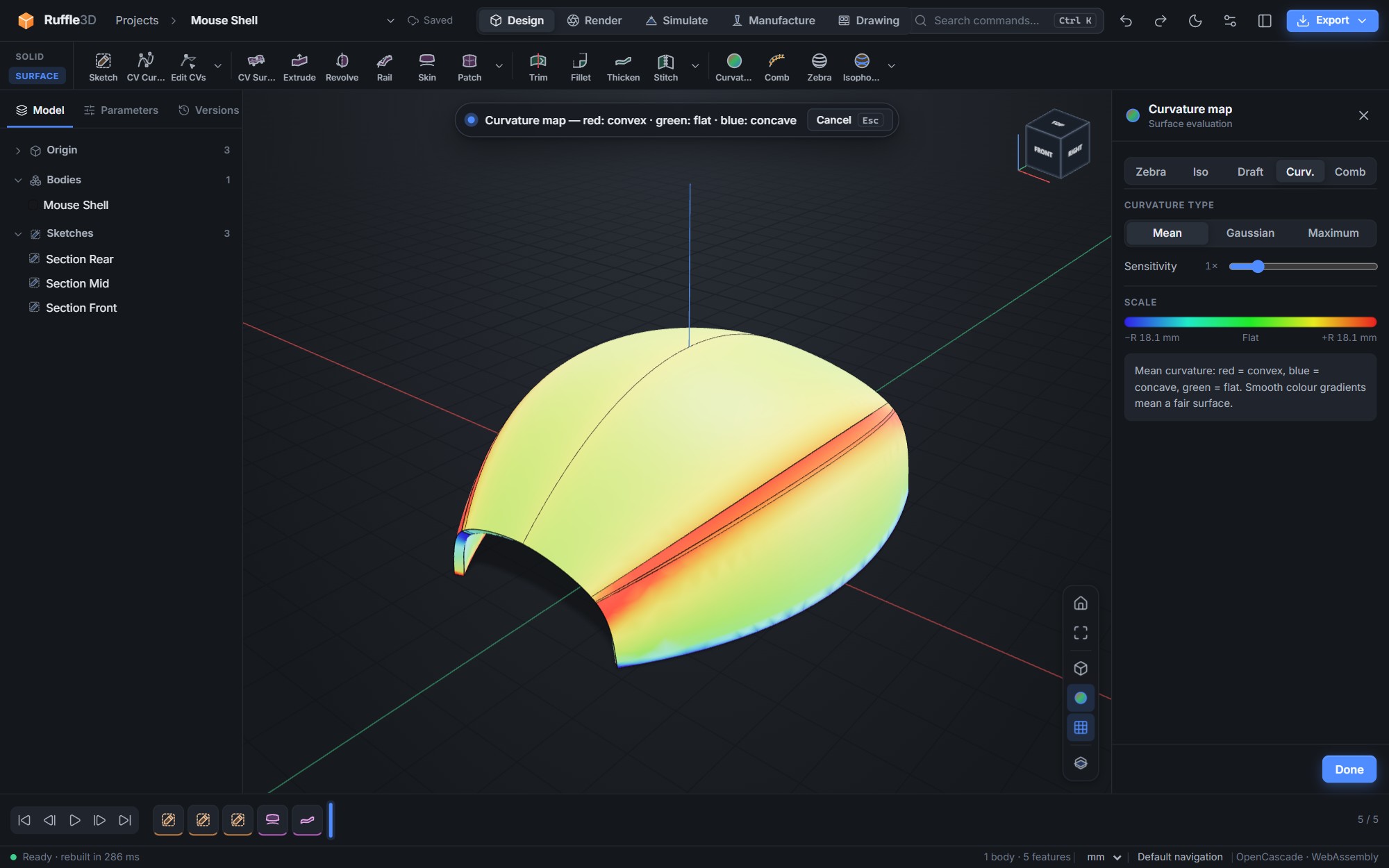
The Surface workspace covers the free-form side of product design. You draw CV curves in 3D, build skins, rails and boundary patches, and pull control vertices directly. Curvature maps, combs, zebra stripes and isophotes show you when a surface is fair.
- CV curves and CV surfaces with direct control-vertex editing
- Surface fillets with constant, variable or chord-length size
- Trim, stitch and thicken surfaces into manufacturable solids
Everything you need, nothing locked
There are no add-on modules and no paid tier. Everyone gets every tool.
Sketching
Lines, arcs, splines, slots and polygons with 13 constraint types and dimensions that can be expressions.
Solid features
A full feature history that you can edit, reorder by rolling back, suppress or replay step by step.
Free-form surfaces
Skin, rail, patch, offset, fillet, trim and rebuild-as-NURBS, with exact trims after editing.
Surface evaluation
Curvature maps (mean, Gaussian, maximum), curvature combs, zebra, isophotes and draft analysis.
Simulation
Stress, natural frequencies, heat and generative design, solved on your own computer in seconds to a minute.
Assemblies
Insert parts from other projects and fit them together with mates solved all at once, plus joints with motion, interference checks and a bill of materials with quantities.
Rendering
Studio lighting, 28 physical materials, per-face appearances and transparent 4K image export.
Drawings
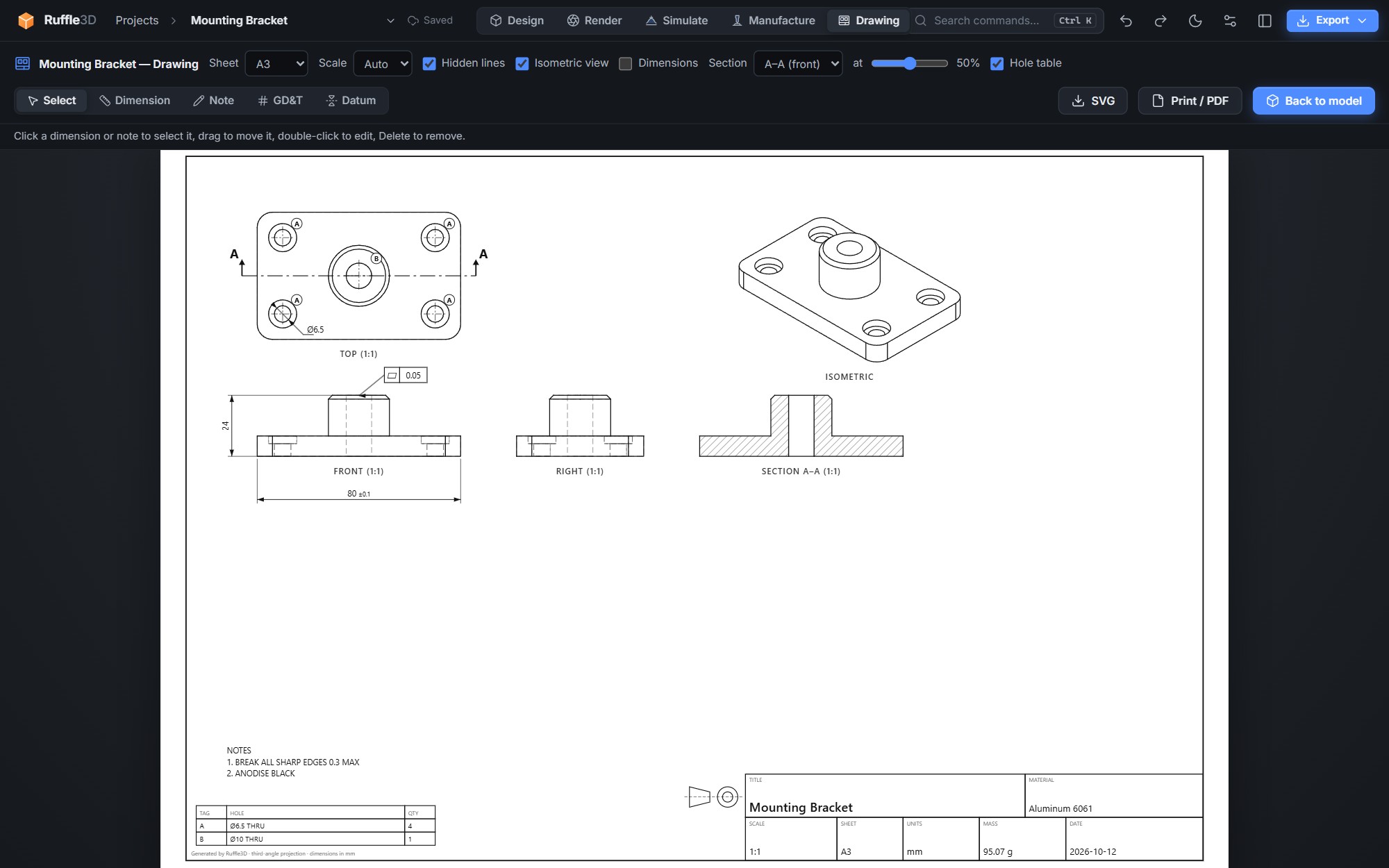
Orthographic and isometric views with hidden lines, dimensions and a title block, exported as SVG or PDF.
CNC machining
Facing, profiles, pockets and drilling with a tool library, toolpath simulation and G-code for common controllers.
Manufacturing
Sheet metal with flat patterns, modelled threads and tapped holes, a 3D-print check, bills of materials, DXF for laser cutting, and STEP, STL and 3MF export.
Projects
Autosave, named versions, configurations for product variants, and project files you can back up or move between computers.
Documentation without another licence.
The Drawing workspace generates third-angle views with hidden-line removal and overall dimensions. The title block picks up the material and computed mass. Print it or save it as a PDF straight from the app.
What it costs
Nothing. Ruffle3D is free for everyone, for personal, educational and commercial work. There's no subscription, no account, no trial period and no feature held back for a paid tier.
Try it on your next part.
Free and open source. No account needed. Contribute on GitHub.